

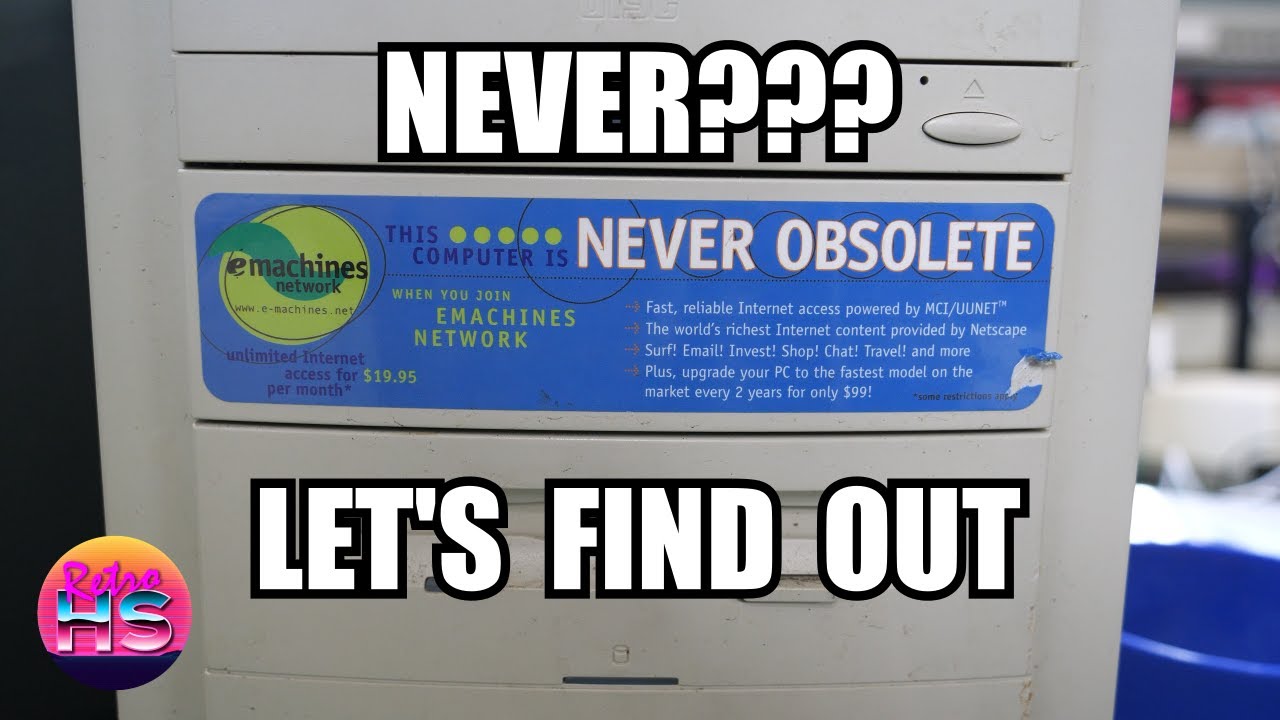
There is something especially satisfying about seeing a late-1990s bargain-bin PC get a second chance, and that was exactly what made this eMachine etower 433i resurrection so much fun. I had pulled this machine from e-waste, and at first glance it looked like the kind of computer most people would have written off immediately: a budget desktop from a brand that never had much prestige, covered in stickers and carrying all the visual baggage of an entry-level family PC from the Windows 98 era. But that was the appeal. These systems had once been everywhere, and even though they were built to hit a price point, they represented a huge part of real home computing history. In this video, I dig into what survived, what failed, and whether this supposedly disposable machine still had enough life left in it to be useful again.
One of the first things that stood out was just how many stickers were plastered all over the case, which really helped lock the machine into its original moment in time. It had all the branding and feature callouts that manufacturers loved back then, turning the front and side panels into a kind of advertisement for the hardware inside. Once I got past the cosmetics and into the machine itself, the real question became whether this etower would actually power up and what shape its internals were in after years of neglect. In the first boot section, I brought the system up and started checking the basics: whether it would POST reliably, whether the drives responded, and whether the machine could still function as a coherent Windows 98-era PC rather than just a shell with a motherboard inside. The process had that familiar mix of optimism and caution that always comes with salvaged hardware. A machine like this could appear fine one moment and then reveal a dead hard drive, flaky optical drive, bad capacitors, or BIOS battery problems the next. Watching it come to life enough to test was the first real sign that the project might succeed, and I worked through the early troubleshooting and verification carefully to establish exactly what I had.

Once the machine had proven it was at least boot-capable, the next major step was rebuilding the software side properly with a reinstall of Windows 98. This was where the project shifted from basic revival into making the system genuinely usable again. Rather than trusting whatever old installation happened to be left on the drive, I went through the process of setting the machine up cleanly, which was important both for stability and for getting a realistic period-correct experience. Reinstalling Windows 98 on hardware like this is always a reminder of how hands-on PC setup used to be. Driver support, installer behavior, storage quirks, and the general pacing of the process all reflected a time when getting a machine fully configured took more direct involvement from the user. I showed the system moving through that rebuild, getting the operating system back in place and bringing the etower closer to the state it would have been in when it was actually useful on someone’s desk. For a rescued e-waste PC, that was the key turning point: it wasn’t just powering on anymore, it was becoming a complete computer again.

The payoff came when I loaded up Civilization II, which was exactly the kind of software that made a machine like this worth saving. There was something fitting about testing a revived budget desktop with a game that so many people would have spent hours playing on similarly modest hardware. This section demonstrated that the etower wasn’t just technically alive, but capable of doing the kind of real work and entertainment it had originally been built for. Running Civilization II gave a practical sense of how the restored system behaved in use, from responsiveness to general compatibility, and it underscored the fact that “obsolete” was often more about expectations than actual utility. For classic DOS and Windows gaming, a machine like this still had a lot to offer, especially when paired with the right software and a clean installation. Seeing the game up and running transformed the project from a repair exercise into a reminder that these low-end systems still had a place in retro computing.

What I took away from this project was that even an eMachine, a brand many people dismissed when these were new, could still be worth the effort if the goal was preserving everyday computing history. Not every rescued PC needs to be a premium beige-box powerhouse to matter. Sometimes the most interesting restorations were the ones that brought back the ordinary machines people actually owned, used, and wore out. This etower 433i ended up proving that it wasn’t beyond saving, and it delivered exactly the kind of practical Windows 98 experience that made these systems so memorable. If you want to see the full teardown, boot process, reinstall, and gameplay for yourself, the full video is absolutely worth watching.
— Aaron
Links
Timestamps
00:00 – So Many Stickers
08:43 – First Boot
15:04 – Reinstalling Windows 98
21:39 – Playing Civilization II
Leave a Reply